Best Outlier AI Alternatives in 2026 | Top Free & Paid AI Tools Compared
Published: 22 Apr 2026
Outlier AI is a modern AI platform that helps users work with data, automation, and smart insights. It is mainly used by businesses and teams to analyze information and improve decision-making with the help of artificial intelligence. Many users like its advanced features, but it is not always the perfect fit for everyone.
A lot of people start looking for Outlier AI alternatives because of some common reasons. The pricing can be high for small users or beginners. Some features may not be easily available in all regions, and in some cases, users feel limited by their complexity or usage restrictions. That’s why many users prefer tools that are more affordable, simple, or flexible.
In this guide, you will discover the best Outlier AI alternatives that are easy to use, budget-friendly, and powerful. We will help you choose the right tool based on your needs, whether you are a student, business owner, or developer.
What to Look for in Outlier AI Alternatives
When choosing an Outlier AI alternative, you should focus on a few important points. First, check the accuracy of the AI results. A good tool should give clear and useful insights without confusion. Next, look at the pricing. Some tools are expensive, so it’s better to choose one that fits your budget, especially if you are a beginner or small business user.
Ease of use is also very important. The platform should be simple and easy to understand, even if you are not a technical person.
Finally, check the features like automation, data handling, and scalability. A good alternative should support your work now and also grow with your future needs. In short, choose a tool that is accurate, affordable, easy to use, and flexible for your tasks.
Best Outlier AI Alternatives in 2026
In 2026, many powerful AI tools will be available that can work as strong alternatives to Outlier AI. These tools are designed to help with data analysis, automation, research, and smart decision-making. Below are some of the best options you can choose based on your needs.
1. DataRobot
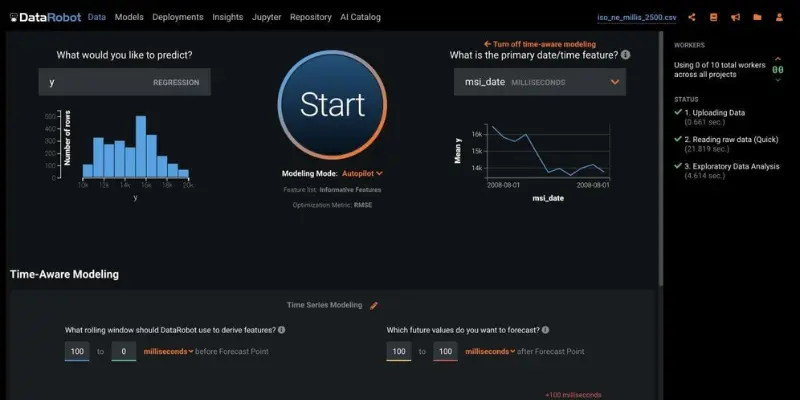
DataRobot is a smart AI platform that builds predictions automatically. It helps businesses make fast decisions using data. You don’t need deep coding skills to start.
Features:
- Automated machine learning
- Predictive analytics
- Custom dashboards
- Data integration
Pros:
- Very accurate predictions
- Saves time with automation
- Works for many industries
Cons:
- Expensive for beginners
- Some features need training
Best For:
Large companies and data teams
2. H2O.ai
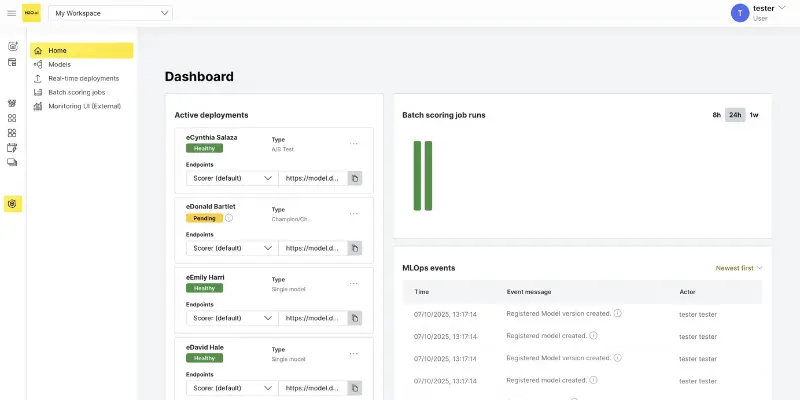
H2O.ai is an open-source AI tool. It gives full control over machine learning projects. It is powerful but needs some technical skills.
Features:
- Machine learning models
- Open-source platform
- Custom workflows
- Advanced analytics
Pros:
- Free version available
- Highly flexible
- Strong community
Cons:
- Not beginner-friendly
- Setup can be complex
Best For:
Developers and data scientists
3. MonkeyLearn
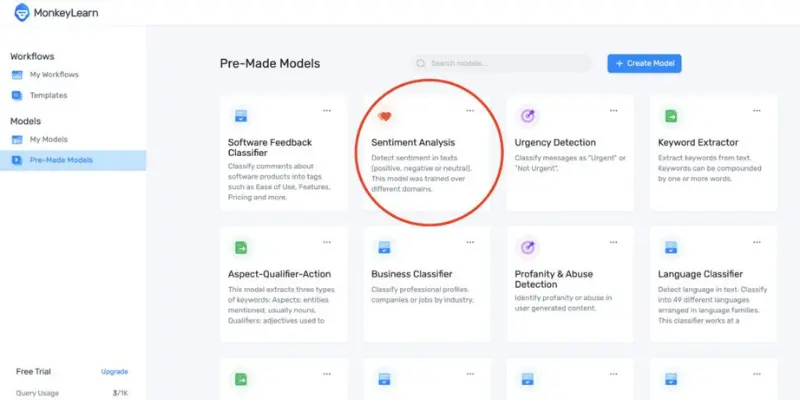
MonkeyLearn focuses on text data. It helps you analyze reviews, surveys, and feedback easily. No coding is required.
Features:
- Sentiment analysis
- Text classification
- No-code setup
- Easy export
Pros:
- Very easy to use
- Quick setup
- Great for marketing
Cons:
- Limited advanced features
- It can get costly with large data
Best For:
Marketing and support teams
4. RapidMiner
RapidMiner makes AI simple. You can build models using drag-and-drop tools. It is great for beginners.
Features:
- Drag-and-drop modeling
- Predictive analytics
- Templates
- Data integration
Pros:
- No coding needed
- Easy to learn
- Fast setup
Cons:
- The free plan is limited
- Paid plans are expensive
Best For:
Small and medium businesses
5. BigML
BigML is a simple cloud AI platform. It helps you build models without stress. It is perfect for beginners.
Features:
- Model creation
- Anomaly detection
- Visual tools
- Cloud-based
Pros:
- Easy to use
- Affordable
- Scalable
Cons:
- Limited advanced tools
- Not for big enterprises
Best For:
Startups and small teams
6. Alteryx
Alteryx focuses on data preparation and analytics. It combines data from many sources and gives insights quickly.
Features:
- Data blending
- Predictive analytics
- Automation
- Workflow tools
Pros:
- Fast processing
- Strong integrations
- Powerful insights
Cons:
- Expensive
- Slight learning curve
Best For:
Enterprise teams
7. KNIME
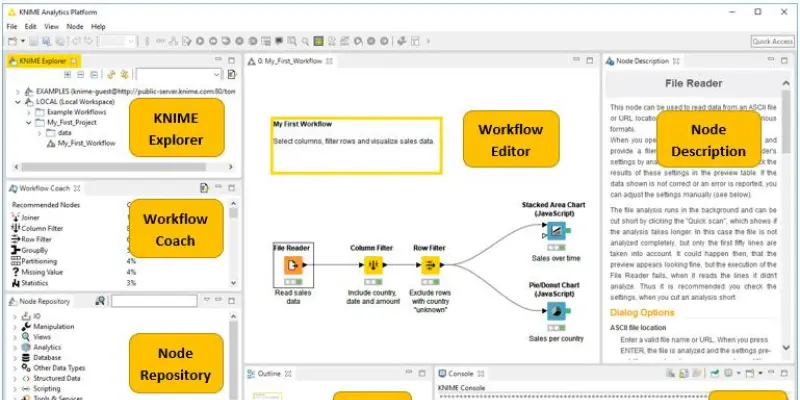
KNIME is a free and open-source analytics tool. It is flexible and powerful but needs some technical understanding.
Features:
- Drag-and-drop workflows
- Open-source
- Data integration
- Predictive analytics
Pros:
- Free to use
- Highly customizable
- Strong community
Cons:
- Needs technical skills
- UI feels complex
Best For:
Data experts
8. Tableau + Salesforce Einstein Analytics
This combo gives powerful visual dashboards with AI insights. It is great for understanding data visually.
Features:
- Interactive dashboards
- AI insights
- Data visualization
- Reporting tools
Pros:
- Beautiful charts
- Easy exploration
- Strong analytics
Cons:
- Expensive
- Needs setup
Best For:
- Sales and marketing teams
9. TIBCO Spotfire
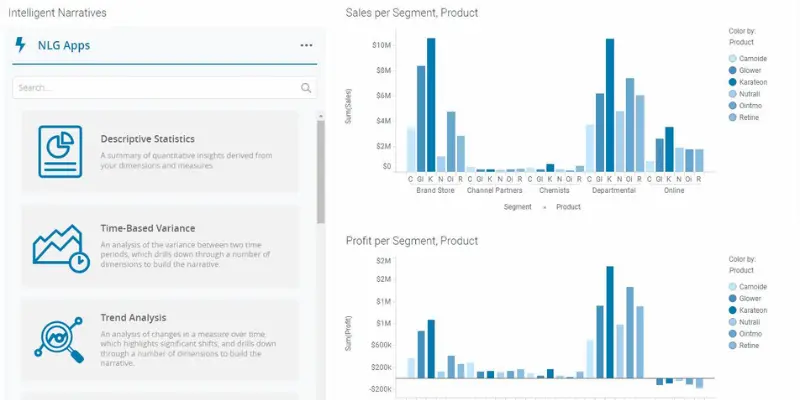
Spotfire offers strong visual analytics with real-time data insights.
Features:
- Real-time dashboards
- Predictive analytics
- Data discovery
- Visual tools
Pros:
- Strong visuals
- Fast insights
- Interactive
Cons:
- Complex for beginners
- Enterprise pricing
Best For:
- Data-driven teams
10. Sisense
Sisense helps businesses combine data from different sources into one dashboard.
Features:
- AI dashboards
- Data integration
- Real-time insights
- Analytics tools
Pros:
- Easy decision making
- Strong integrations
- Clean dashboards
Cons:
- Costly
- Learning curve
Best For:
- Businesses with large data
11. ThoughtSpot
ThoughtSpot lets you search your data like Google. Just type a question and get results.
Features:
- Search-based analytics
- AI insights
- Dashboards
- Reports
Pros:
- Easy to use
- Fast results
- No coding needed
Cons:
- Expensive
- Limited free version
Best For:
- Non-technical users
12. Looker
Looker is part of Google Cloud. It gives real-time data insights and reports.
Features:
- Live dashboards
- Data modeling
- Cloud integration
- Reporting
Pros:
- Real-time data
- Strong integration
- Scalable
Cons:
- Needs technical setup
- Custom pricing
Best For:
- Companies using Google Cloud
13. Qlik
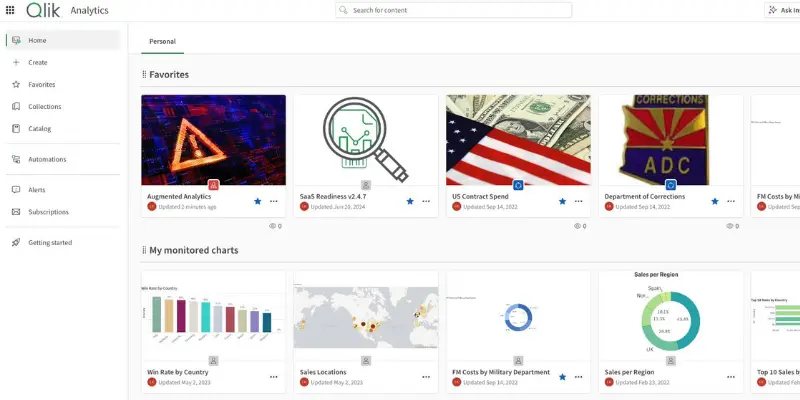
Qlik provides powerful analytics with smart data discovery features.
Features:
- Data visualization
- AI insights
- Interactive dashboards
- Data integration
Pros:
- Fast insights
- Flexible
- Strong analytics
Cons:
- Can be complex
- Paid plans
Best For:
- Mid to large businesses
14. IBM Watson Analytics
IBM Watson uses AI to give smart insights and predictions from your data.
Features:
- AI predictions
- Data analysis
- Visualization
- Automation
Pros:
- Trusted brand
- Powerful AI
- Good insights
Cons:
- Expensive
- Setup time
Best For:
- Large enterprises
15. Zoho Analytics
Zoho Analytics is simple and affordable. It is perfect for small businesses.
Features:
- Reports and dashboards
- Data integration
- AI assistant
- Sharing tools
Pros:
- Budget-friendly
- Easy to use
- Good support
Cons:
- Limited advanced features
- Slower for big data
Best For
- Small businesses and startups
Free vs Paid Outlier AI Alternatives Comparison
When choosing an Outlier AI alternative, it is important to understand the difference between free and paid tools. This helps you pick the right option based on your budget and work needs.
Comparison Table: Free vs Paid AI Alternatives
| Feature | Free AI Tools | Paid AI Tools |
| Cost | Free to use | Monthly or yearly subscription |
| Features | Basic features | Advanced and premium features |
| Accuracy | Good for simple tasks | High accuracy and better results |
| Usage Limits | Limited usage | Higher or unlimited usage |
| Speed | Normal, sometimes slow | Faster and priority performance |
| Support | Limited or no support | Dedicated customer support |
| Best For | Students, beginners, freelancers | Businesses, agencies, professionals |
How to Choose the Right Outlier AI Alternative
Choosing the right Outlier AI alternative can feel confusing, but if you follow a simple step-by-step process, it becomes easy. The goal is to match the tool with your needs, budget, and skill level.
Step 1: Understand Your Needs
First, decide what you want to do with the AI tool. Do you need it for writing, data analysis, research, or automation? When you know your goal, it becomes easier to pick the right option.
Step 2: Set Your Budget
Next, check how much you can spend. If you are a beginner, you can start with free AI tools. If you need advanced features, then a paid tool may be a better choice.
Step 3: Check Ease of Use
Choose a tool that is simple and easy to use. A clean interface saves time and helps you work faster, even if you are not a technical expert.
Step 4: Compare Features
Look at the features each tool offers. Check things like accuracy, speed, automation, and data handling. Make sure the tool supports your daily tasks.
Step 5: Read Reviews and Try Demos
Before making a final decision, read user reviews or try free versions. This helps you understand how the tool works in real life.
Step 6: Think About Future Growth
Pick a tool that can grow with your needs. It should handle bigger tasks as your work increases.
Which Outlier AI Alternative Should You Choose?
Choosing the right Outlier AI alternative depends on your goals, skills, and the type of work you want to do. Different tools are built for different users, so it’s important to match the tool with your needs. Below is a simple guide to help you decide.
1. For Students → ChatGPT / Google Gemini
If you are a student, you need a tool that is easy to use and helps with learning. ChatGPT and Google Gemini are great choices because they can help with writing, homework, research, and understanding concepts. These tools are simple, fast, and often offer free versions, which makes them perfect for beginners and daily use.
2. For Businesses → DataRobot / Dataiku
Businesses need powerful tools for data analysis and automation. DataRobot and Dataiku are designed for companies that handle large volumes of data and need advanced AI solutions. These platforms help automate machine learning and improve decision-making, which makes them ideal for professional use.
3. For Researchers → Prolific
If you are a researcher, Prolific is a great option. It helps you collect real human data for studies and experiments. This makes it very useful for academic research and data collection tasks. Many AI training and research workflows depend on high-quality human input, which platforms like Prolific provide.
4. For Developers → Roboflow / SuperAnnotate
Developers and AI engineers need tools for building and training models. Roboflow and SuperAnnotate are great for tasks like image processing, dataset management, and AI model training. These tools are widely used in AI development projects because they improve data quality and model performance.
Pros & Cons of Using Outlier AI Alternatives
Pros:
- More affordable options for different budgets
- Free tools available for beginners
- Wide range of features for different tasks
- Easy to find tools based on your needs
- Better flexibility compared to a single platform
- Regular updates and new AI features
Cons:
- Some tools have a learning curve
- Free versions come with limitations
- Advanced features require payment
- Switching tools can take time
- Data privacy may vary between platforms
- Not all tools offer the same accuracy
Conclusion
Outlier AI is a powerful tool, but it is not the only option available. Many strong Outlier AI alternatives offer better flexibility, different features, and pricing options that can suit your needs. Whether you are a student, business owner, researcher, or developer, there is always a tool that fits your work style. The key is to understand your goals and choose a tool that is easy to use, gives accurate results, and fits your budget. You can start with free options and move to paid tools as your needs grow.
In the end, the best Outlier AI alternative is the one that saves your time, improves your work, and helps you get better results. So explore your options and pick the tool that works best for you.
FAQs
The best Outlier AI alternative depends on your needs. For most users, ChatGPT is a top choice because it is easy to use and works well for many tasks like writing, research, and automation. For business use, tools like DataRobot or Dataiku are better options.
Yes, there are many free alternatives available. Tools like ChatGPT, Google Gemini, and Claude AI offer free versions that are good for basic tasks. These are perfect for beginners, students, and freelancers who want to use AI without spending money.
For beginners, ChatGPT and Google Gemini are the best options. They are simple to use, give quick answers, and do not require technical skills. You can use them for daily tasks like writing, learning, and research
Yes, you can replace Outlier AI with other tools, depending on your work. Many alternatives offer similar or even better features. However, you should choose the tool that matches your specific needs to get the best results.




- Be Respectful
- Stay Relevant
- Stay Positive
- True Feedback
- Encourage Discussion
- Avoid Spamming
- No Fake News
- Don't Copy-Paste
- No Personal Attacks
- Be Respectful
- Stay Relevant
- Stay Positive
- True Feedback
- Encourage Discussion
- Avoid Spamming
- No Fake News
- Don't Copy-Paste
- No Personal Attacks
