25 Best MotionMuse Alternatives (Free & Paid AI Video Tools You Should Try in 2026)
Published: 23 Apr 2026
Many users start with MotionMuse AI because it looks simple and fast. But after some time, they face common problems like limited credits, expensive premium plans, average video quality, and fewer creative controls.
This is where people start searching for better motion muse AI alternatives.
Some users want free tools. Some want cinematic-quality videos. Others need faster rendering, better prompts, or professional editing features. The good news is that many powerful AI video tools now offer better features than MotionMuse.
In this guide, we will explore the best MotionMuse alternatives in 2026. You will learn which tools are free, which are better for professionals, and which platform fits your content goals best.
Whether you are a beginner, YouTuber, marketer, or professional creator, this guide will help you choose the right AI video tool.
What is MotionMuse AI? (Brief Overview)
MotionMuse AI is an online AI-powered tool that helps users turn static images into short animated videos. It uses artificial intelligence to add movement to pictures, so they look like real video clips. You do not need video editing skills to use it. Everything works in a simple browser-based system.
This tool is mainly used for creating quick and engaging visual content. It helps users save time and produce videos for social media, marketing, and personal projects.
It is especially popular among beginners because it removes the need for traditional video editing software.
Key Features
MotionMuse AI comes with useful features that make video creation easier:
- It converts images into short animated videos
- It adds automatic motion effects without manual editing
- It works directly in a web browser, so no installation is needed
- It supports fast video creation for quick results
- It allows users to control the style of animation
- It is designed for social media content like reels and ads
These features help users create videos in a simple and fast way without technical skills.
Who Uses MotionMuse AI?
Different types of users work with MotionMuse AI, especially those who need quick visual content:
- Content creators who make short videos for social platforms
- Digital marketers who need promotional visuals
- Small business owners who want simple ad videos
- Beginners who do not know video editing
- Freelancers who create content for clients
It is mainly used by people who want fast and easy video creation without using complex editing software.
Why People Look for MotionMuse Alternatives
Many users search for better options instead of sticking with MotionMuse AI. The main reason is that every user has different needs. Some want free access, some want more control, and others want higher quality results. This is why the demand for motionmuse ai alternatives keeps growing in the AI tools market.
Here are the main reasons explained simply:
- High pricing and limited credits: Many users feel the paid plans are expensive. Some also face credit limits that stop them from making more videos. This pushes them to explore other tools.
- Need for a MotionMuse free alternative: A large number of beginners want free tools. They search for options that let them test features without paying first. Free usage becomes a strong reason to switch.
- Better video-quality tools available: Some users find that other AI tools produce smoother, more realistic animations. They prefer tools that produce sharper, more professional-looking videos.
- More AI features in competitors: Competing tools often include extra options like advanced editing, scene control, or voice features. These added tools make users explore other platforms.
- Faster rendering options: Speed matters for content creators. Some alternatives process videos faster, which helps users save time when working on bulk content.
Overall, people look for a MotionMuse AI alternative when they want better pricing, improved quality, or more advanced features in one platform.
Best MotionMuse Alternatives (Free & Paid Tools)
Below are powerful AI tools that work as MotionMuse AI alternatives. Each tool helps you create AI videos, but all of them work differently in terms of quality, speed, and pricing. Some are free, some are paid, and some are better for professionals.
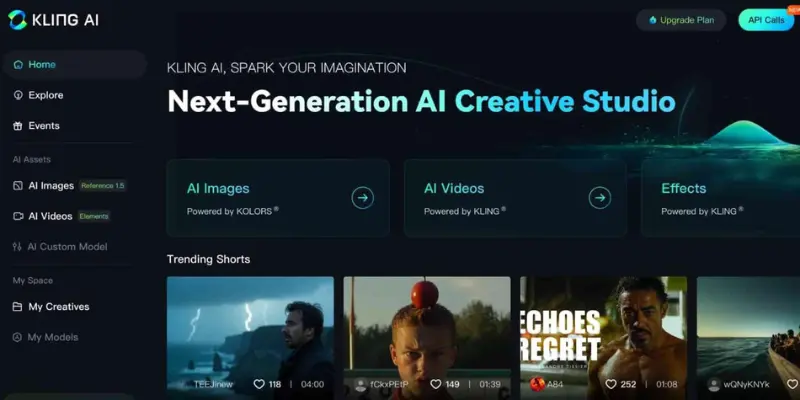
1. Kling AI
Kling AI is a modern AI video tool that creates highly realistic and smooth videos. It is popular among creators who want cinematic-style short videos for social media platforms. Many users consider it one of the strongest MotionMuse AI alternatives in 2026.
Features:
- Realistic AI video generation
- Smooth motion and animation
- Strong character consistency
- Social media optimized output
Best for:
- TikTok creators
- Reels content makers
- Viral video creators
Pros:
- Very high-quality visuals
- Natural motion effects
- Trending among creators
Cons:
- Limited free usage
- Needs good prompts
2. Runway ML
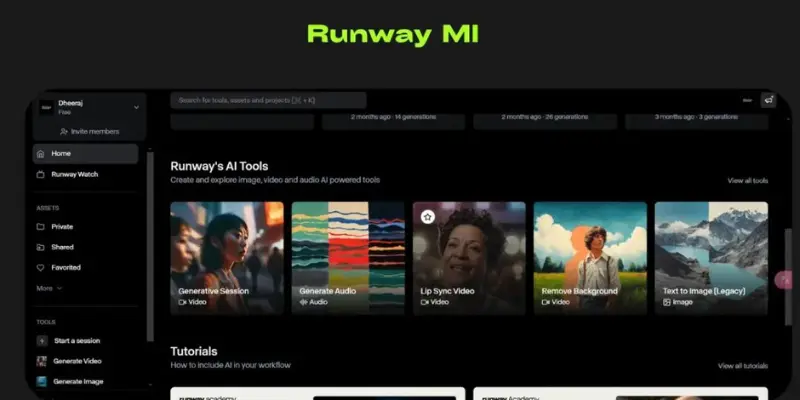
Runway ML is a professional AI video platform used by filmmakers and content creators. It gives high-level editing control and cinematic output. It is more advanced than MotionMuse AI.
Features:
- Cinematic video generation
- Advanced AI editing tools
- High-resolution output
- Gen-3 model support
Best for:
- Filmmakers
- YouTubers
- Professional editors
Pros:
- Industry-level quality
- Strong editing control
- Great for ads
Cons:
- Complex for beginners
- Paid plans are costly
3. Pika Labs
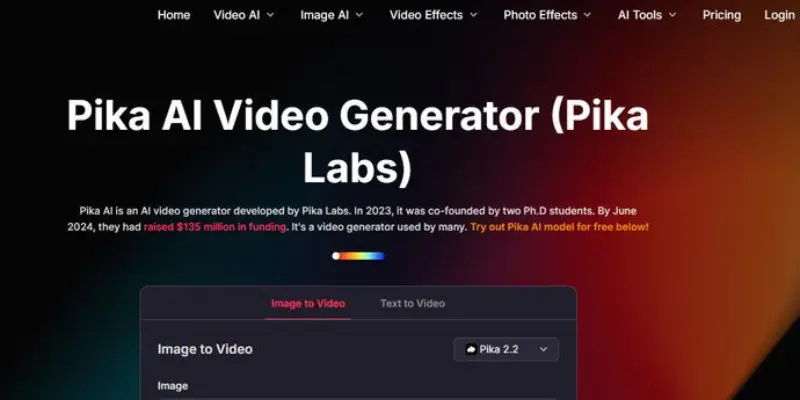
Pika Labs is a simple AI video tool that creates short clips in seconds. It is designed for beginners who want fast results without editing skills.
Features:
- Text-to-video generation
- Fast processing speed
- Simple interface
- Short-form video focus
Best for:
- Beginners
- TikTok users
- Social media posts
Pros:
- Very easy to use
- Fast output
- Good for short videos
Cons:
- Limited advanced features
- Lower cinematic quality
4. Luma AI (Dream Machine)
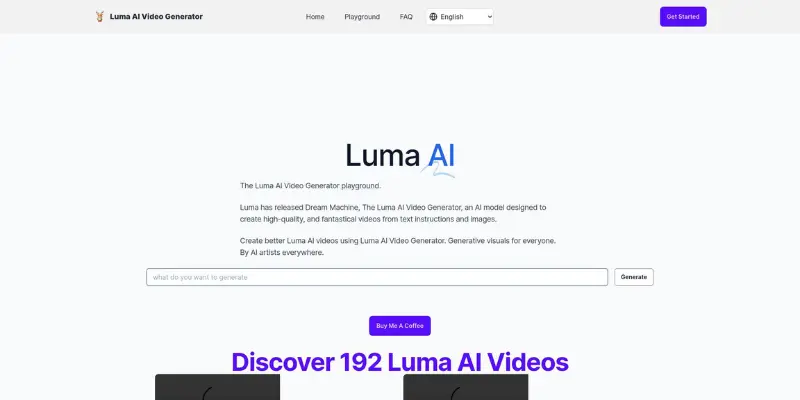
Luma AI is a cinematic-focused tool that creates smooth and realistic video scenes. It is widely used for storytelling and creative projects.
Features:
- Cinematic motion generation
- Realistic camera movement
- High-quality visuals
- Story-driven output
Best for:
- Storytellers
- Filmmakers
- Creative artists
Pros:
- Very realistic results
- Smooth motion quality
- Great for storytelling
Cons:
- Slow processing sometimes
- The free plan is limited
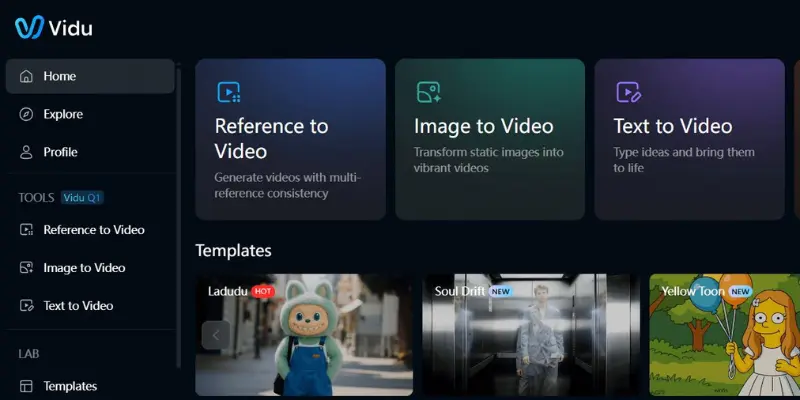
5. Vidu AI
Vidu AI is a new AI video tool that focuses on experimental and creative video styles. It is still growing but gaining popularity fast.
Features:
- Creative AI video styles
- Experimental generation system
- Modern interface
- Flexible output types
Best for:
- Creative users
- Early adopters
- Experimental creators
Pros:
- Innovative features
- Fast improvement updates
- Unique results
Cons:
- Still unstable
- Limited support
6. Hailuo AI
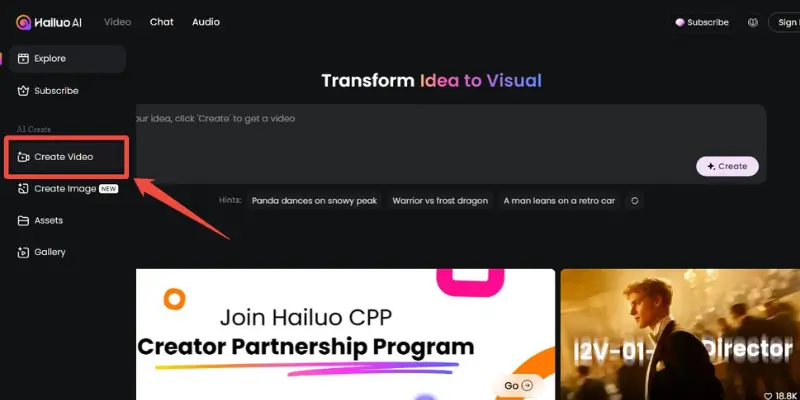
Hailuo AI is a budget-friendly video tool designed for simple users. It helps create basic AI videos without complexity.
Features:
- Text-to-video support
- Simple UI
- Budget-friendly system
- Basic animation tools
Best for:
- Beginners
- Budget users
- Simple content creators
Pros:
- Cheap and simple
- Easy workflow
- Beginner friendly
Cons:
- Limited quality
- Fewer features
7. Unlucid AI
Unlucid AI is a fast AI video tool focused on social media content. It offers templates and quick rendering for users.
Features:
- Template-based creation
- Fast rendering
- Social media export
- AI animation support
Best for:
- Social media creators
- Beginners
- Marketing content
Pros:
- Fast output
- Easy to use
- Free credits available
Cons:
- Watermark in free plan
- Limited editing tools
8. SoulGen
SoulGen is an AI tool focused on creating characters and stylized visuals. It is often used for creative or fantasy-style content.
Features:
- AI character generation
- Text-to-video support
- Simple interface
- Creative visual output
Best for:
- Hobby creators
- AI avatar testing
- Creative users
Pros:
- Easy character creation
- Free credits available
- Simple system
Cons:
- Not professional grade
- Limited customization
9. PromptChan
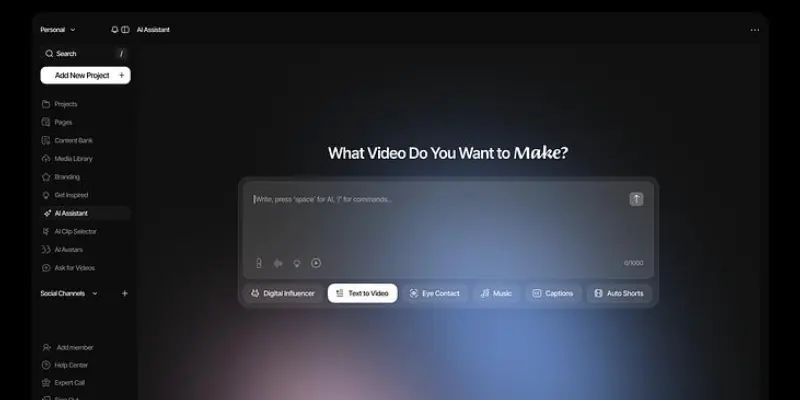
PromptChan is a prompt-based AI tool where users create videos using text ideas. It is popular for experimental content.
Features:
- Prompt-based system
- Fast generation
- Simple interface
- Creative output
Best for:
- Prompt creators
- Beginners
- Experimental users
Pros:
- Easy workflow
- Quick results
- Good creativity
Cons:
- Inconsistent output
- Limited templates
10. FunFun AI
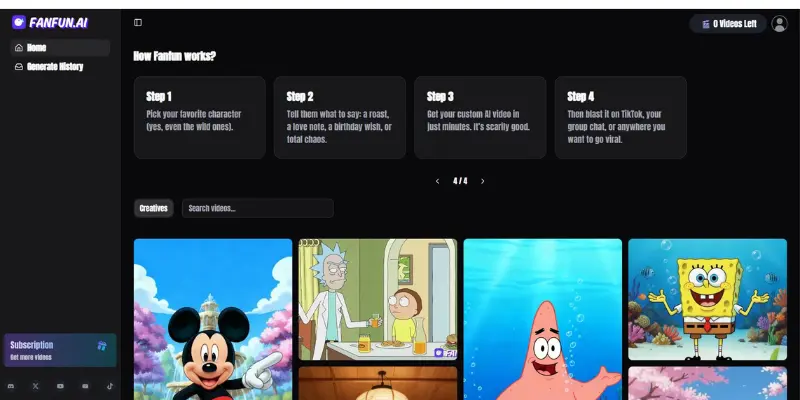
FunFun AI is a simple tool for creating fun and casual videos. It is mainly used for entertainment content.
Features:
- Image-to-video support
- Fun animation styles
- Quick export
- Simple UI
Best for:
- Casual users
- Social media fun content
- Beginners
Pros:
- Easy to use
- Fun animations
- Fast output
Cons:
- Not professional
- Basic features
11. Seduced AI
Seduced AI is a niche AI tool focused on adult-themed content generation. It provides creative freedom in restricted categories.
Features:
- NSFW video generation
- AI animation tools
- Fast rendering
- Character customization
Best for:
- NSFW creators
- Adult content makers
Pros:
- High creative freedom
- Fast generation
- Advanced tools
Cons:
- Not for a general audience
- Paid access needed
12. Domo AI
Domo AI is a creative tool that converts simple images into animated video clips. It is popular among designers and social media creators who want quick visual results without editing skills.
Features:
- Image to video conversion
- Simple animation tools
- Quick export options
- Mobile-friendly interface
Best for:
- Social media creators
- Digital marketers
- Beginners
Pros:
- Easy to use
- Mobile support
- Fast output
Cons:
- Limited advanced editing
- Paid features for HD export
13. Stable Diffusion (Video Setup)
Stable Diffusion is an open-source AI system used for advanced image and video creation. With video extensions, it becomes a powerful free tool for experienced users.
Features:
- Fully customizable AI system
- Open-source platform
- Offline usage possible
- Unlimited creative control
Best for:
- Advanced users
- Developers
- Tech-savvy creators
Pros:
- Completely free
- No restrictions
- Very powerful output
Cons:
- Difficult setup
- Needs a strong PC
14. OpenArt AI
OpenArt AI is a creative platform that helps users turn text or images into visual content. It is designed for quick creative experiments and simple video generation.
Features:
- Text-to-video tools
- Multiple style filters
- Easy export options
- Creative templates
Best for:
- Beginners
- Designers
- Content creators
Pros:
- Simple interface
- Multiple styles
- Beginner friendly
Cons:
- Limited free usage
- Less advanced than Pro Tools
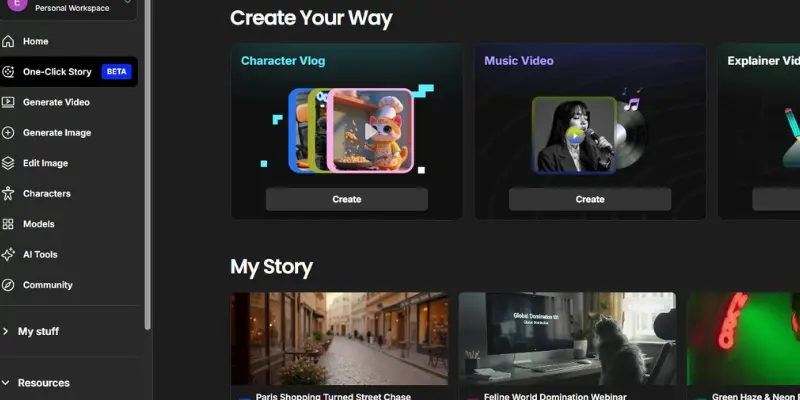
15. Hunyuan Video
Hunyuan Video is a high-end AI video generation system designed for professional and business use. It focuses on quality and fast rendering.
Features:
- Cinematic AI video output
- Fast processing engine
- Business-level quality
- Text and image support
Best for:
- Businesses
- Agencies
- Professional creators
Pros:
- High-quality output
- Fast rendering
- Reliable system
Cons:
- Complex for beginners
- Limited free access
16. DeepSwap AI
DeepSwap AI is a face-swapping tool that creates realistic deepfake-style videos. It is widely used for entertainment and social media content.
Features:
- Face swap video creation
- AI deepfake technology
- Fast processing
- Easy upload system
Best for:
- Social media creators
- Fun content makers
- Video experimenters
Pros:
- Realistic face swaps
- Easy workflow
- Fast results
Cons:
- Limited use cases
- Paid plan needed
17. Haiper AI
Haiper AI is a growing video generation tool that creates smooth and realistic AI videos from text prompts. It is designed for creative storytelling.
Features:
- Text-to-video generation
- Smooth motion effects
- Creative templates
- Fast rendering system
Best for:
- Content creators
- Storytellers
- Social media users
Pros:
- Good quality output
- Easy to use
- Fast generation
Cons:
- Still improving the system
- Limited advanced tools
18. Adobe Firefly Video (Beta)
Adobe Firefly Video is an AI-powered tool from Adobe that focuses on professional creative video generation. It is still in development, but very powerful.
Features:
- AI video generation
- Adobe ecosystem integration
- High-quality creative output
- Professional editing support
Best for:
- Designers
- Agencies
- Professional editors
Pros:
- Trusted Adobe quality
- High-end output
- Creative control
Cons:
- Still in beta
- Limited access
19. Synthesia AI
Synthesia AI is a powerful AI video platform mainly used for creating talking avatar videos and professional business presentations. It helps users create videos with AI presenters without using cameras or actors.
Features:
- AI avatar video generation
- Talking presenter video
- Multiple language support
- Business presentation templates
Best for:
- Businesses
- Course creators
- Training videos
Pros:
- Professional avatar videos
- Very easy for presentations
- Supports many languages
Cons:
- Limited creative freedom
- Premium plans are expensive
20. InVideo AI
InVideo AI is a popular AI video generator that helps users create videos from simple text prompts. It is widely used for YouTube videos, ads, and marketing content.
Features:
- Text-to-video generation
- Ready-made templates
- Voiceover support
- Fast export system
Best for:
- YouTubers
- Marketers
- Beginners
Pros:
- Very beginner-friendly
- Fast workflow
- Strong template library
Cons:
- The free plan has a watermark
- Limited advanced editing
21. Fliki AI
Fliki AI is an AI-powered tool that converts text into videos with voiceovers. It is especially useful for faceless YouTube channels and educational content creators.
Features:
- Text-to-video creation
- AI voiceovers
- Blog to video conversion
- Multiple language support
Best for:
- Faceless YouTube channels
- Bloggers
- Educational creators
Pros:
- Excellent voiceover quality
- Very easy workflow
- Good for long-form content
Cons:
- Limited free credits
- Premium plans required for HD export
22. HeyGen AI
HeyGen AI is known for realistic AI avatars and professional talking head videos. It is often used by marketers and businesses for presentation videos.
Features:
- AI avatar generation
- Talking head videos
- Lip-sync technology
- Business video templates
Best for:
- Marketers
- Agencies
- Professional creators
Pros:
- High-quality avatars
- Professional output
- Strong lip-sync results
Cons:
- Expensive plans
- Less suitable for creative storytelling
23. Kaiber AI
Kaiber AI is a creative AI video generator focused on artistic and music-style videos. It is popular among artists and creators who want unique visual storytelling.
Features:
- Artistic AI video creation
- Music video generation
- Creative motion effects
- Style customization
Best for:
- Artists
- Music creators
- Creative storytellers
Pros:
- Very creative output
- Unique animation styles
- Strong artistic control
Cons:
- Less ideal for business content
- Learning curve for beginners
24. Elai.io
Elai.io is an AI video platform made for educational videos, tutorials, and business presentations. It helps users create presenter-style videos with avatars.
Features:
- AI presenters
- Training video creation
- Course content support
- Multiple language options
Best for:
- Course creators
- Businesses
- Training teams
Pros:
- Professional educational videos
- Easy to use
- Good business support
Cons:
- Limited cinematic features
- Premium plans needed for full access
25. Colossyan Creator
Colossyan Creator is an AI video tool focused on corporate training and explainer videos. It helps businesses create professional training content quickly.
Feature:
- AI presenter videos
- Corporate training templates
- Explainer video creation
- Text-to-video workflow
Best for:
- Corporate teams
- Training departments
- Business presentations
Pros:
- Strong for business use
- Fast professional output
- Easy training content creation
Cons:
- Not ideal for entertainment content
- Higher pricing for advanced features
Comparison Table (MotionMuse vs Best Alternatives)
This table helps you quickly compare MotionMuse AI with top alternatives. It focuses on price, free access, video quality, ease of use, and speed so you can choose the right tool easily.
| Tool | Price | Free Plan | Video Quality | Ease of Use | Speed |
| MotionMuse AI | Paid | Limited | متوسط (Medium) | Easy | Fast |
| Kling AI | Paid + Credits | Limited | Very High | Medium | Fast |
| Runway ML | Paid | Yes (limited) | Excellent (Cinematic) | Medium–Hard | Medium |
| Pika Labs | Free + Paid | Yes | Good | Very Easy | Very Fast |
| Luma AI | Paid | Limited | Very High (Cinematic) | Medium | Medium |
| Vidu AI | Paid | Limited | High | Medium | Medium |
| Hailuo AI | Low Cost | Yes | Medium | Very Easy | Fast |
| Unlucid AI | Free + Paid | Yes (credits) | Good | Easy | Fast |
Key Insight
- MotionMuse AI is simple and easy, but limited in quality and features.
- Tools like Kling AI and Runway ML give much better video quality.
- Pika Labs and Hailuo AI are better for beginners and fast content creation.
- Free options like Unlucid AI are good for testing before upgrading.
Which MotionMuse Alternatives Should You Choose?
Choosing the right tool from MotionMuse alternatives depends on your goal, skill level, and budget. Every user has different needs. Some want speed, some want quality, and some want free access. Below is a simple guide to help you decide easily.
For Beginners
If you are just starting with AI video tools, you should focus on a simple interface, fast results, and no learning curve.
Best choices:
- Pika Labs
- Hailuo AI
- Unlucid AI
Why: These tools are very easy to use. You just type text or upload an image and get a video in seconds. No editing skills are needed. They are perfect for learning basic AI video creation without confusion.
For YouTubers
If you create content for YouTube, you need better video quality, stable output, and creative control.
Best choices:
- Runway ML
- Kling AI
- Luma AI
Why: These tools produce more cinematic and professional-looking videos. They help you make thumbnails, shorts, and storytelling videos that look polished and engaging for your audience.
For Marketers
If your goal is business or marketing content, you need fast production, branding support, and high-engagement videos.
Best choices:
- Runway ML
- Hunyuan Video
- Domo AI
Why: These tools are good for ads, product videos, and promotional content. They help you create eye-catching videos that can increase clicks and sales.
For Free Users
If you do not want to spend money, focus on free credits and open-source tools.
Best choices:
- Stable Diffusion (setup version)
- Unlucid AI
- OpenArt AI
Why: These tools give free access or trial credits. Some may need setup or have limits, but they are good for testing and learning without cost.
For Professionals
If you work at an advanced level, you need high-quality, control, and cinematic output.
Best choices:
- Runway ML
- Kling AI
- Adobe Firefly Video (Beta)
Why: These tools give studio-level quality. They support advanced editing, better rendering, and more control over the final video. Perfect for agencies and professional creators.
Conclusion
MotionMuse AI is a simple and fast tool for creating short AI videos from images. It is mainly built for beginners and social media users who want quick results without editing skills. It works well for basic content, but it is not a full professional video editor.
Many motion muse alternatives give you more power, better quality, and extra features. Tools like Runway ML, Kling AI, and Pika Labs offer stronger performance depending on your needs. Some are better for quality, some for speed, and some for free usage.
If you only want easy and quick videos, MotionMuse can still work for you. But if you want better control, higher quality, or free options, then exploring other tools is a smarter choice.
The best decision depends on your goal. If you are a beginner, start simple. If you are serious about content creation, try advanced tools. In the end, choosing the right platform will save your time and improve your results.
FAQs
This FAQ section helps answer common user questions and improves search visibility for motionmuse alternatives in a natural and simple way.
The best MotionMuse alternative depends on what you need. If you want high-quality cinematic videos, Runway ML and Kling AI are strong choices. If you want something fast and simple, Pika Labs works very well. For creative and experimental users, Luma AI and Vidu AI are also good options. Each tool gives a different balance of speed, quality, and control.
Yes, there are several free options available. Tools like Unlucid AI, Hailuo AI, and OpenArt AI offer free plans or trial credits. Some open-source tools like Stable Diffusion setups can also be used without payment, but they need technical knowledge. These options are useful for beginners who want to try AI video creation without spending money.
The best MotionMuse AI free alternative depends on your skill level. For beginners, Unlucid AI is a good choice because it is simple and offers free credits. For advanced users, Stable Diffusion with video extensions is powerful and fully free but requires setup. If you want something easy and online, OpenArt AI is also a solid option.
MotionMuse AI is worth it if you want quick and simple video creation for social media. It works well for short clips and basic animations. However, it has limitations in quality, customization, and advanced editing. If you need professional-level videos, then motionmuse ai alternatives like Runway ML or Kling AI may be better choices.
Many users on Reddit recommend testing multiple tools before choosing one. Common suggestions include Runway ML for professional work, Pika Labs for beginners, and Kling AI for high-quality short videos. Reddit users often prefer tools that give better free access or higher video quality compared to MotionMuse AI. This is why discussions about MotionMuse alternatives on Reddit usually focus on flexibility and real user experience rather than marketing claims.


- Be Respectful
- Stay Relevant
- Stay Positive
- True Feedback
- Encourage Discussion
- Avoid Spamming
- No Fake News
- Don't Copy-Paste
- No Personal Attacks
- Be Respectful
- Stay Relevant
- Stay Positive
- True Feedback
- Encourage Discussion
- Avoid Spamming
- No Fake News
- Don't Copy-Paste
- No Personal Attacks
